A Worker that takes payments or talks to a database needs secrets: a Stripe key, a database connection string. The usual way is to paste them into the agent's chat, or into a file it reads. Then they're in the conversation, and maybe in a log or a repository.
With Wundervault, the secrets stay in your vault. Your agent says which secret goes into which Worker. You approve that list once. The helper app on your computer reads each value and sends it straight to Cloudflare as an encrypted Worker secret. Your agent only hears back whether each one was set.
This guide follows one real run: two Workers for a shop, a Stripe key for both, and a database URL for the checkout. The names in the pictures are made up.
1. What you need
- A vault, and a computer with the helper app, version 2.5.0 or later. New to Wundervault? Create your vault, then set up a computer.
- An agent connected to that computer. Help connecting an agent.
- A Cloudflare API token with the permission Workers Scripts: Edit, saved in your vault and turned on for your agent. When you add it, type Cloudflare under What is this key for? and choose Cloudflare (API token). Cloudflare explains tokens in its API docs.
- Your Cloudflare account ID. It isn't a secret, so you can give it to your agent in chat.
2. Your agent deploys the Workers
If your Workers already exist, skip this step.
Ask your agent to deploy them. It uses the Cloudflare token through the helper app, so the token never appears in the chat either:
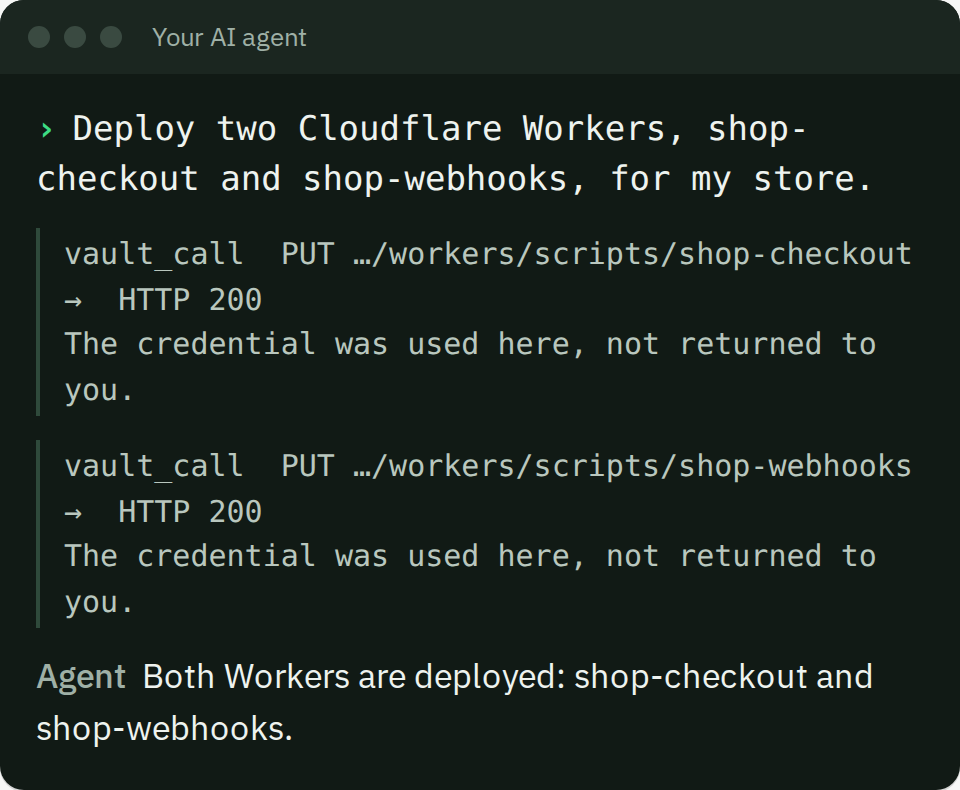
3. Put each secret in your vault
Every secret the Worker needs must be in your vault first. Add it yourself with Add a secret. Or, if the agent already has it in a file or can make it with a command, ask the agent to save it:
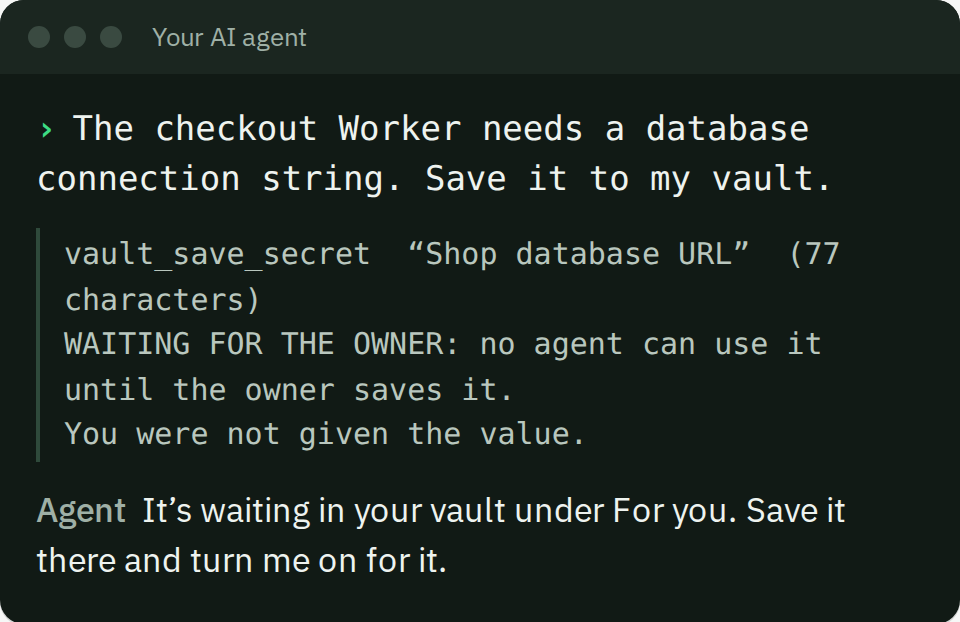
A secret an agent saves waits for you. No agent can use it until you save it. It shows under For you:
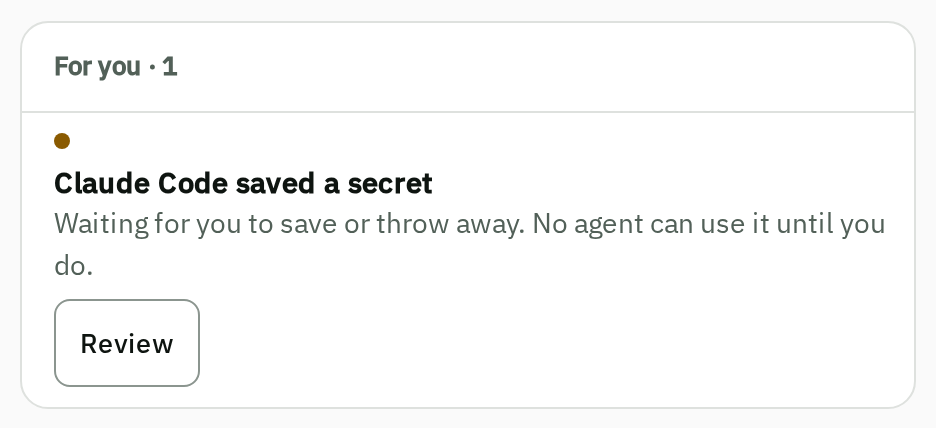
Choose Review, check it, and save it with your passkey. Then open the secret and turn your agent on under Who can use it:
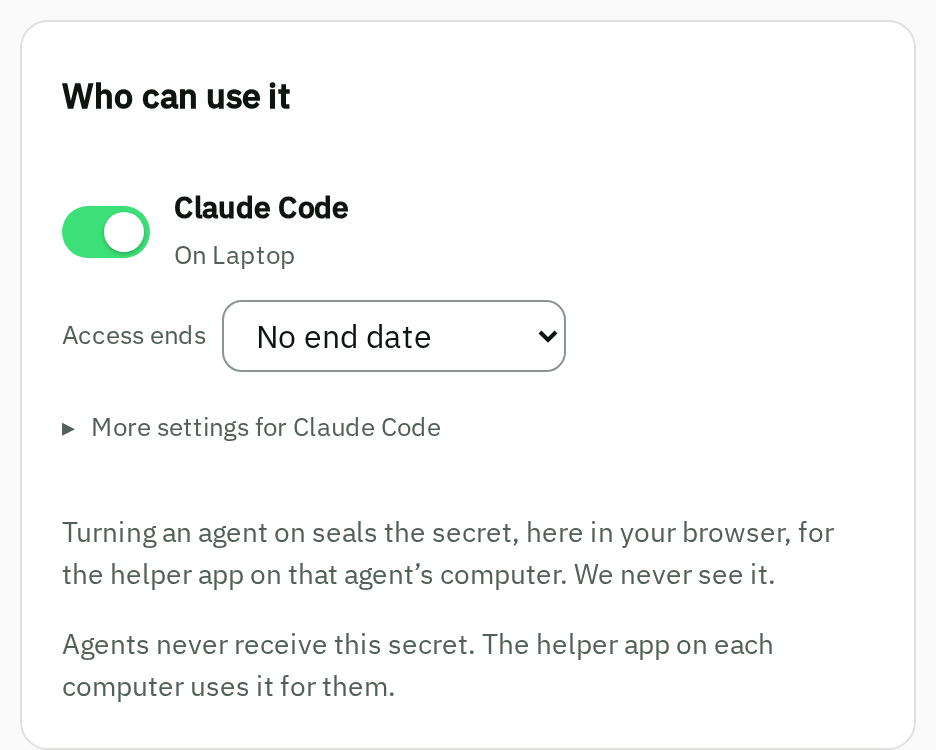
Never paste a secret into the chat to get it into the vault. Settings that aren't secret, such as a URL, an ID or a Stripe publishable key, don't need any of this. The agent can put them in the Worker's config.
4. Ask your agent to send them
Give your agent a task like this. There's no secret in it, only names:
Give the Workers my Stripe key and the database URL: the Stripe key to shop-checkout and shop-webhooks as STRIPE_KEY, the database URL to shop-checkout as DATABASE_URL.
The agent sends the whole list in one request. Your vault shows one card with every pairing on it:
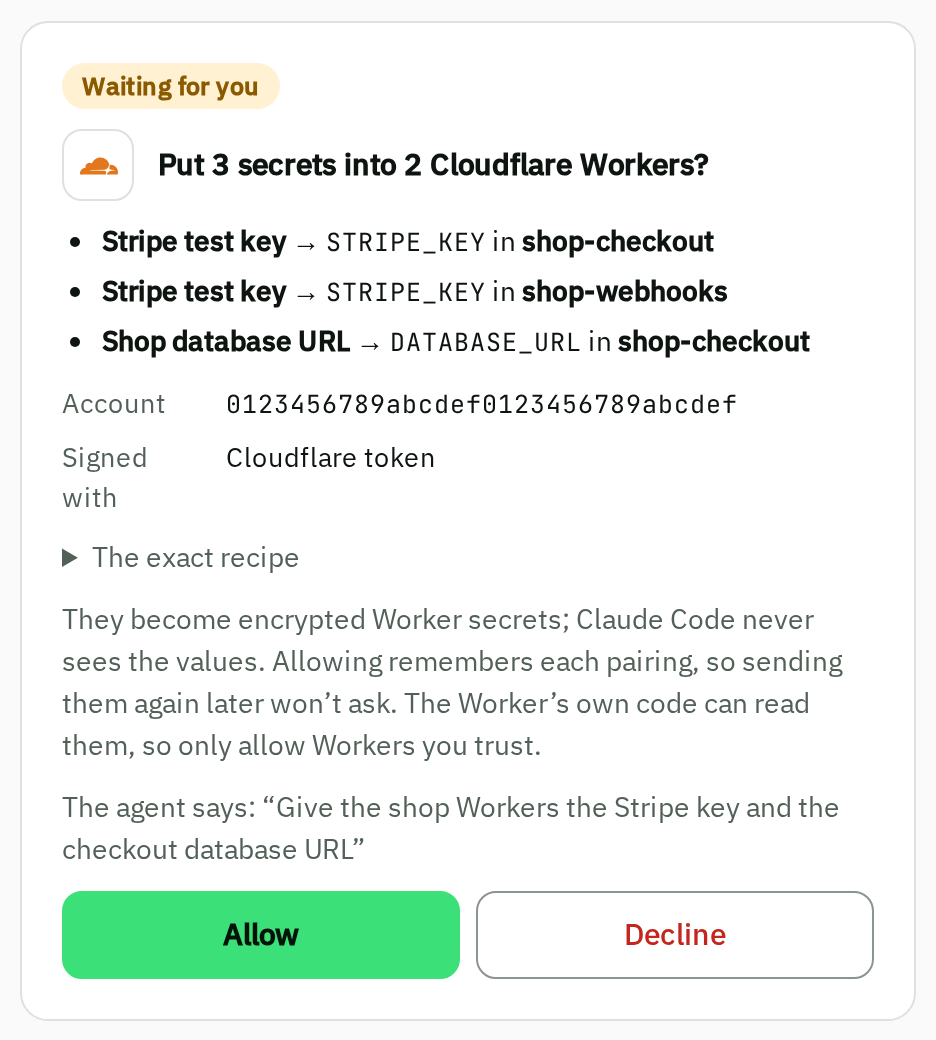
Check each line: which secret, the name the Worker's code reads (STRIPE_KEY is env.STRIPE_KEY), and which Worker it goes into. The secret names on the card come from your own vault, not from the agent. Check the account too: it should match the account ID in your Cloudflare dashboard, so a staging and a live Worker with the same name can't be mixed up. Then choose Allow.
The helper app reads each value and sends it to Cloudflare. The agent gets back one line per secret:
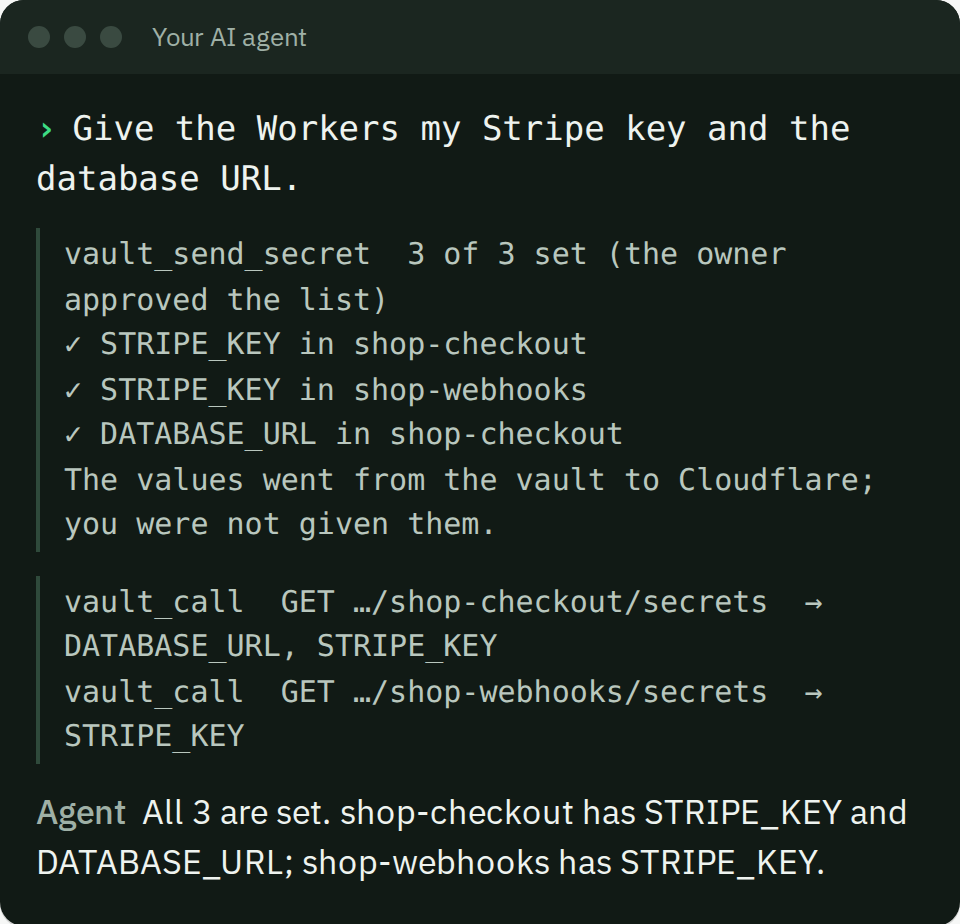
To check, ask your agent to list each Worker's secrets from Cloudflare. Cloudflare returns the names, never the values.
If one of them fails, the reply says which. The others are already set; nothing is undone. Fix the cause and ask the agent to send the one that failed.
5. Sending again doesn't ask
Your vault remembers each pairing you allowed. When you change a value and want the Workers to have the new one, ask your agent to send them again. It goes straight through:
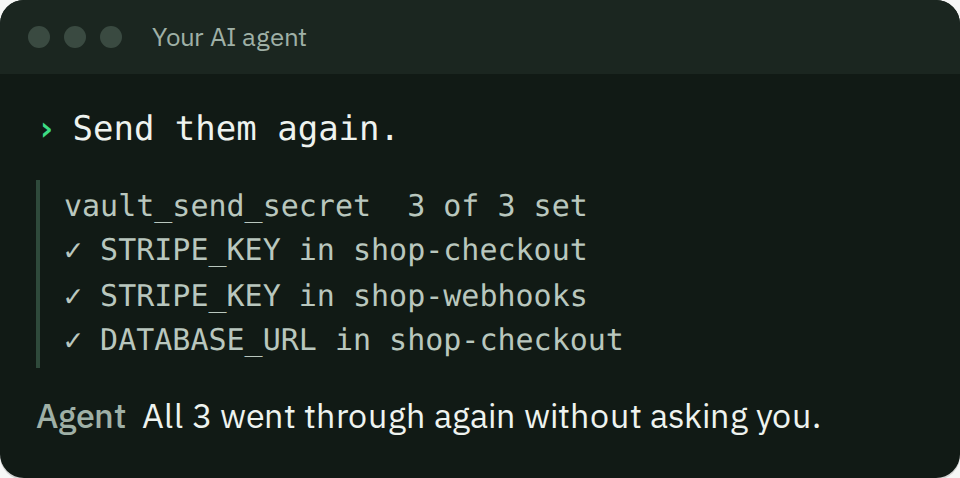
A new secret, a new Worker or a new name asks you again, on one card. A secret you set to Ask me first asks on every send. If a send has several of those, they're all on one card, so it's still one tap.
The Cloudflare token keeps its own setting too. If the token itself is set to Ask me first, every send waits for you, because every send uses the token.
Deploying new code to the Worker later keeps its secrets. You don't need to send them again after each deploy.
What this protects, and what it doesn't
The values stay out of the chat, your agent's memory, its logs and your repositories. The agent never receives a value, not even when Cloudflare's reply repeats one.
A Worker's own code reads its secrets as plain text when it runs. Whoever writes that code can read them, and that includes an agent that writes and deploys it. Only allow Workers whose code you trust. The card says this too.
The Cloudflare token can do whatever its permissions allow. Give it only Workers Scripts: Edit, and only on the account you mean.
Only plain text secrets can go to a Worker. Wallets, SSH keys, signing keys, stored logins and authenticator setup keys never leave the vault.
Our limitations page has the full boundaries. The MCP reference has the details for agents.